
Overview
Configuring the OLLAMA_HOST environment variable and Windows Firewall to access a local LLM from other devices on the same network.
Steps
1. Background
The idea is to install Ollama on a GPU-equipped Windows PC so it can host LLM models and serve as an API endpoint. Actual development and study happens on macOS — just call the Windows API whenever you need the LLM. This way, Windows handles the GPU workload while macOS handles the development environment, making the most of each machine’s strengths.
However, Ollama only listens on 127.0.0.1:11434 by default. This works fine on the same PC, but to call the API from a Mac, you need to allow external access.
2. Setting the OLLAMA_HOST Environment Variable
Setting the OLLAMA_HOST environment variable to 0.0.0.0:11434 on Windows makes Ollama accept requests from all network interfaces.
Windows + S → Search “environment variables” → Edit the system environment variables → Environment Variables button → New under User variables.
- Variable name:
OLLAMA_HOST - Variable value:
0.0.0.0:11434
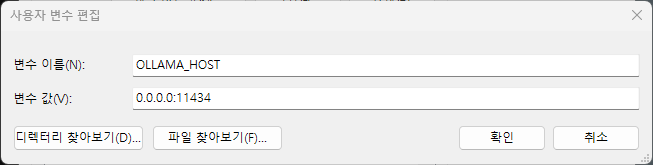
A PC reboot or Ollama restart is required for the change to take effect.
2.1. Verifying the Setting
Check if Ollama is listening on the correct address in PowerShell.
netstat -an | findstr 11434
If the output shows 0.0.0.0:11434 LISTENING, the setting is applied correctly. If it shows 127.0.0.1:11434, a reboot is needed.
3. Windows Firewall Configuration
Even with the environment variable set, the firewall may block the port from external access. Add a firewall rule in an administrator PowerShell.
New-NetFirewallRule -DisplayName "Ollama" -Direction Inbound -LocalPort 11434 -Protocol TCP -Action Allow
4. Testing from Another Device
Call the API from a Mac or other device on the same network using the Windows PC’s IP address. You can find the IP with the ipconfig command on Windows.
curl -s http://<windows-ip>:11434/api/generate -d '{"model":"qwen3:8b","prompt":"Explain what Ollama is in one sentence.","stream":false}'
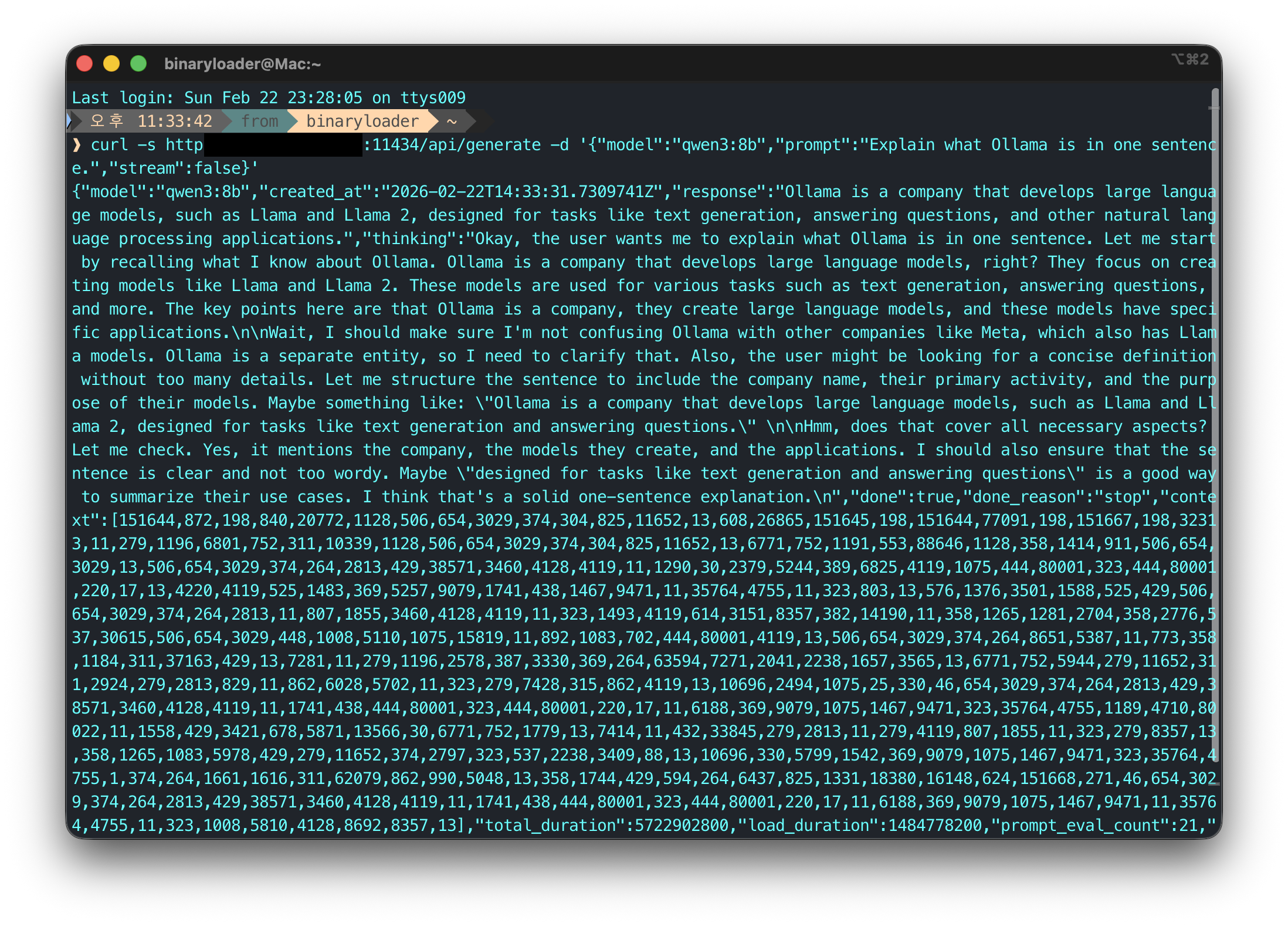
If a response comes back successfully, the setup is complete.



Leave a comment